
Casino Report by Game
Use this report to evaluate performance at game level.
Interface Reference
Purpose
- Identify top and low-performing games
- Track turnover, win, and margin by game
- Support game-level optimization decisions
Steps
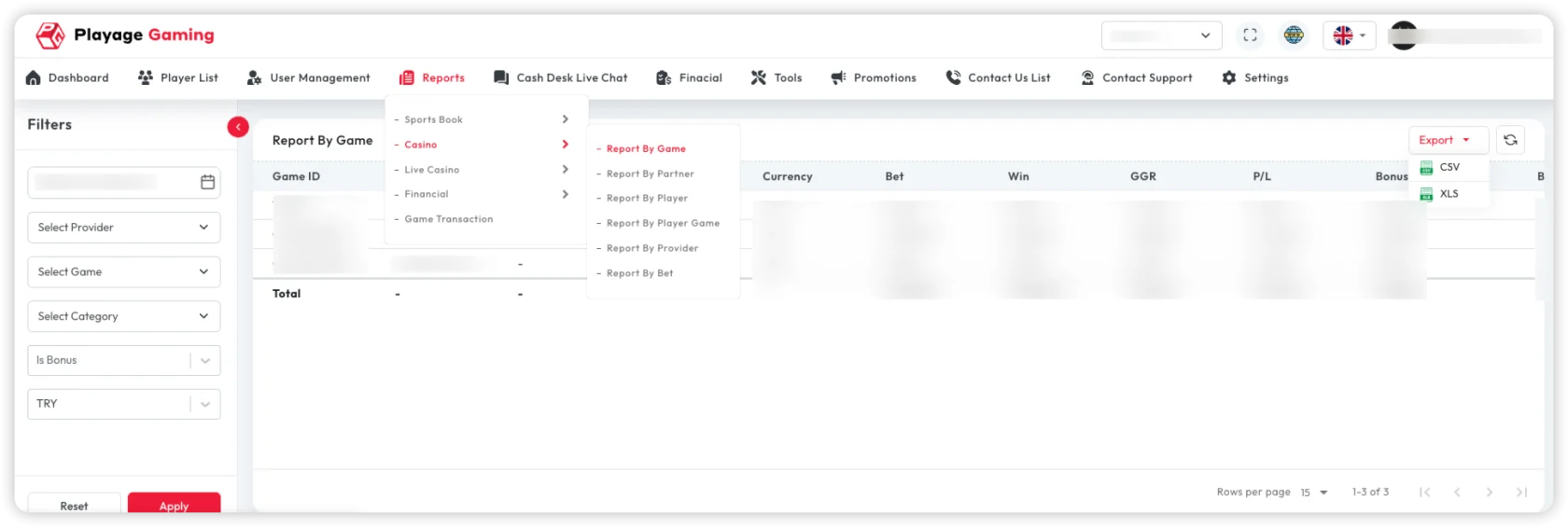
- Open Reports > Casino > Report by Game.
- Apply date, provider, game category, and game filters.
- Review game-level KPIs.
- Sort by turnover/margin to prioritize analysis.
Key Metrics
- Bets and turnover per game
- Payout and net revenue
- Margin trend
- Active player count
Export
- Export filtered dataset in CSV/XLS for deeper analysis.
- Use PDF for quick summaries.
Troubleshooting
- Game not listed: check provider, category, and date filters.
- Totals mismatch: align status/date/timezone across reports.
- Large dataset: split by provider or category.
Best Practice
Review top games daily and long-tail games weekly to balance speed and depth.