
Robots.txt Overview
The SEO > Robots.txt section is used to edit crawler access rules directly from the CMS panel.
From the current screen, you can:
- Update robots.txt directives in editor
- Save draft changes
- Publish robots.txt changes to site
Current Interface Overview
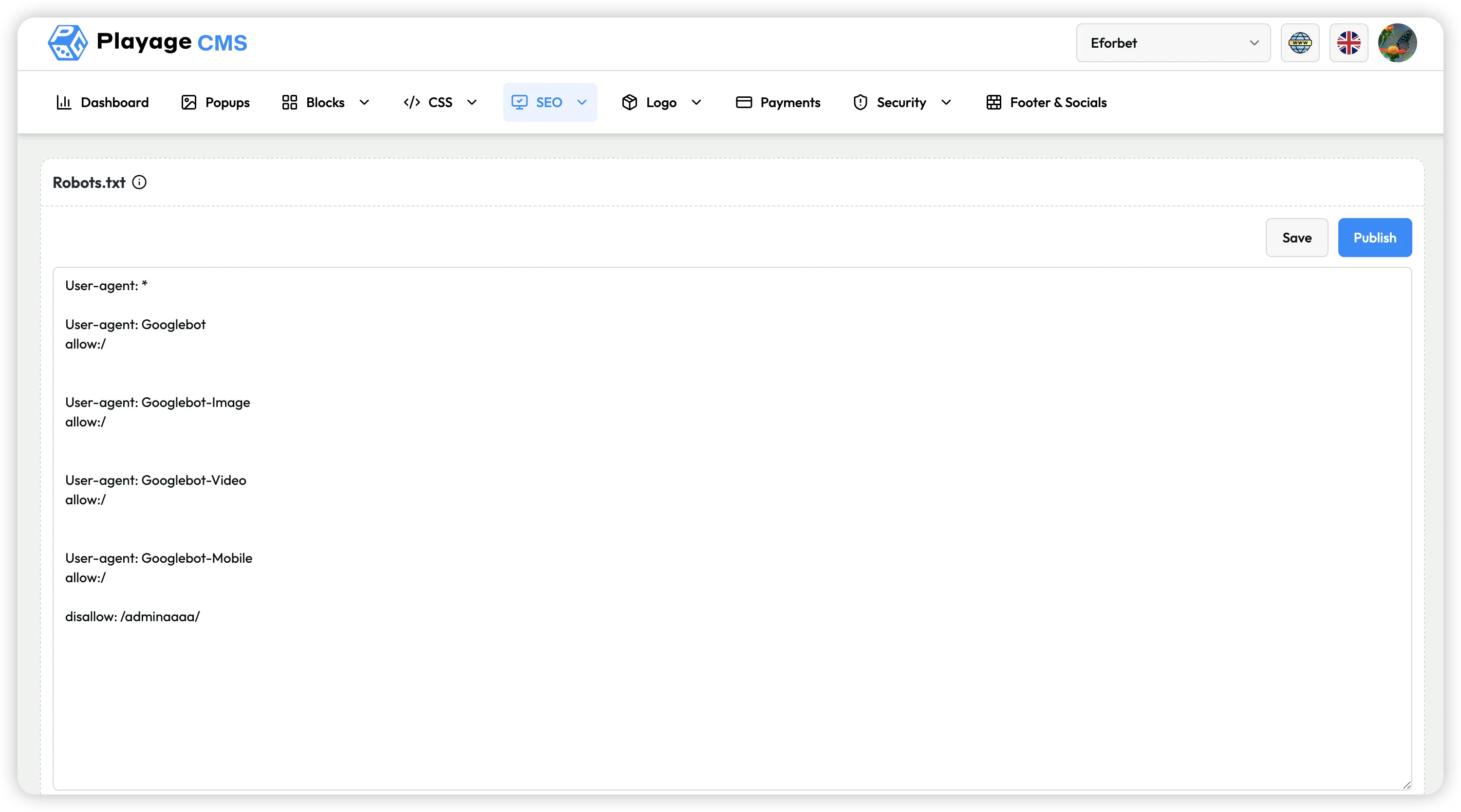
The current Robots.txt page contains:
- Text editor for robots directives (
User-agent,Allow,Disallow, etc.) - Save button
- Publish button
Step-by-Step: Update Robots.txt
- Open SEO > Robots.txt.
- Edit directives in text area.
- Click Save to store changes.
- Click Publish to apply updated robots file.
The current screenshot shows practical examples such as:
User-agent: *User-agent: GooglebotUser-agent: Googlebot-ImageUser-agent: Googlebot-VideoUser-agent: Googlebot-Mobileallow:/disallow: /adminaaaaa/
Use this carefully, especially for Disallow rules, to avoid blocking important pages from crawlers.
Recommended Safe Workflow
- Validate syntax before publishing.
- Keep a backup of previous robots directives.
- Avoid broad
Disallow: /unless intentional. - Save first, then publish.
- Re-check the live robots.txt output after publishing.
Notes
- Incorrect robots rules can impact SEO indexability and traffic.
- Prefer minimal and targeted disallow rules.