
Segment Overview
The Segment area is used to manage audience definitions for CRM targeting. It includes a filterable segment list, label management, and a builder workflow for rule-based segments.
What You Manage Here
- Existing segment records
- Segment labels
- Dynamic or composite segment types shown in the list
- Creation entry point for new segments
- Archive-aware filtering
Segment List Interface
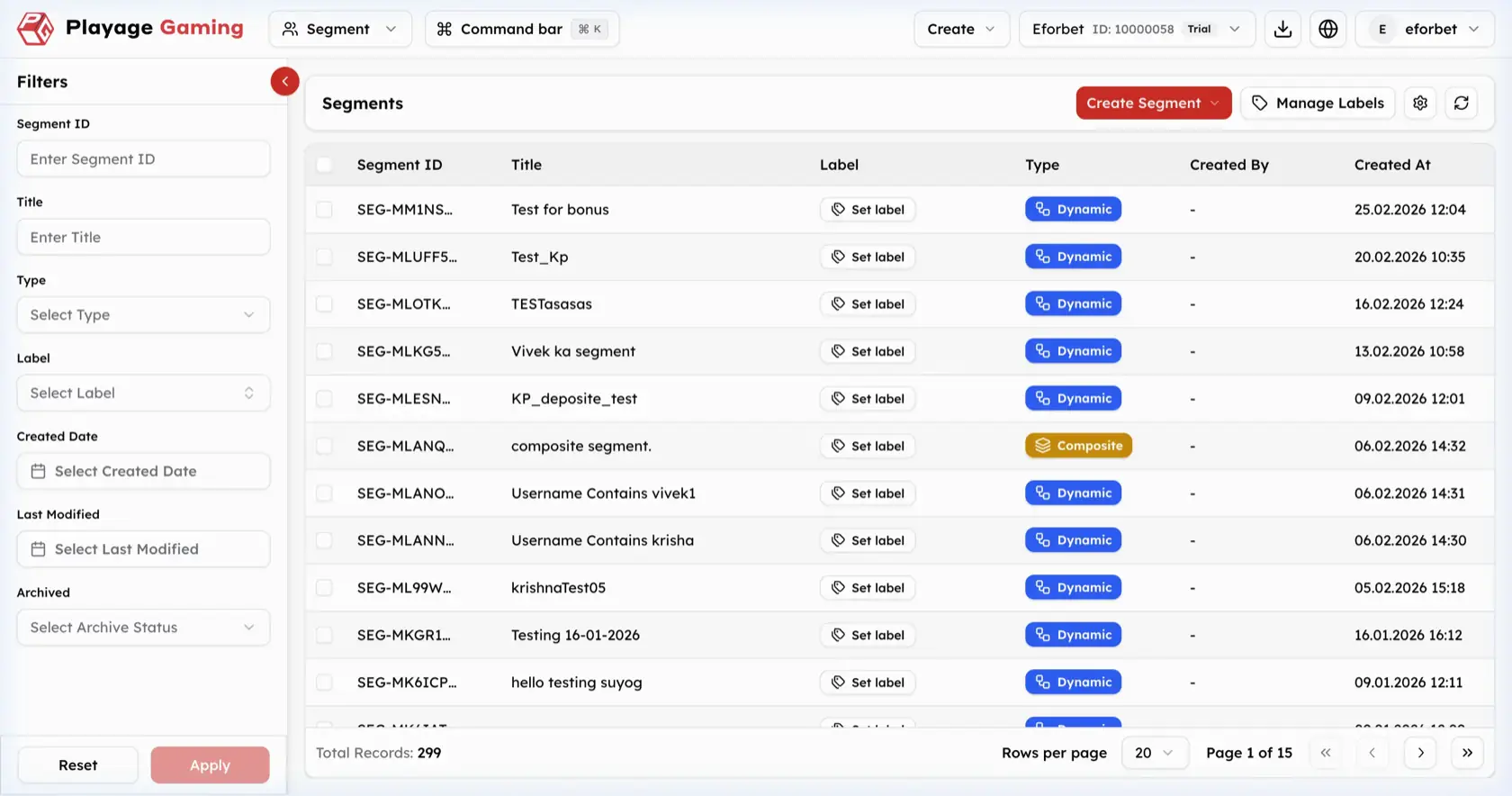
Visible controls in the screenshot:
- Left filter sidebar
Create SegmentdropdownManage Labels- Settings and refresh icons
- Segment table with pagination
Filter Sidebar
The filter panel includes:
Segment IDTitleTypeLabelCreated DateLast ModifiedArchived
Segment Table Columns
| Column | Meaning |
|---|---|
| Segment ID | Unique segment identifier |
| Title | Segment name |
| Label | Internal label management area |
| Type | Segment type, such as Dynamic or Composite |
| Created By | Creator of the segment |
| Created At | Creation timestamp |
Step-by-Step: Find a Segment
- Open
Segment. - Use the left filters to narrow the list.
- Apply
TypeorLabelif needed. - Review the filtered rows.
- Confirm the segment title and type before editing or reusing it in campaigns.
Create Dynamic Segment
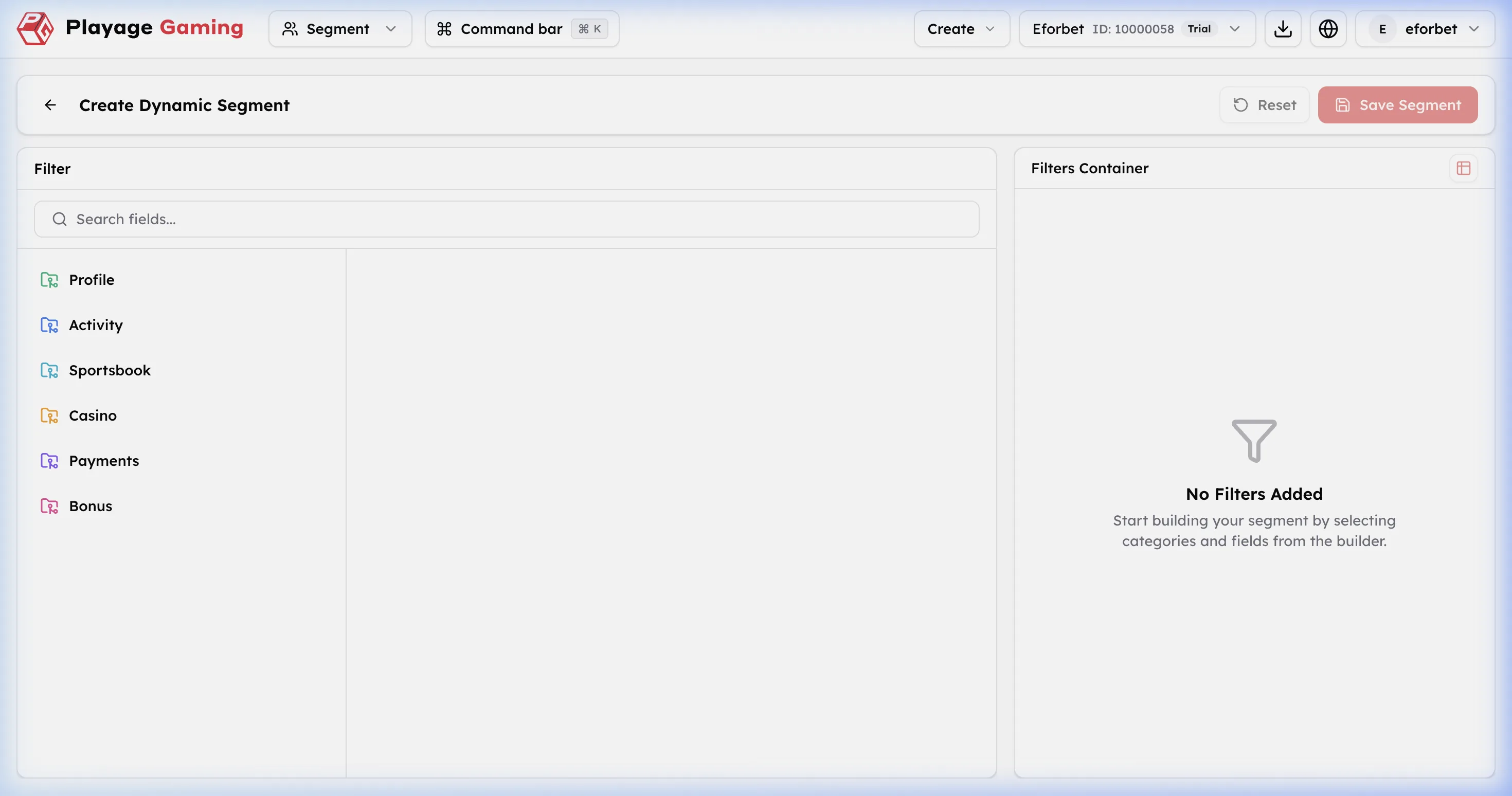
The builder shown in the screenshot is for dynamic rule construction.
Builder Areas
| Area | Meaning |
|---|---|
| Search fields | Searches available segment fields |
| Category list | Groups available fields into categories such as Profile, Activity, Sportsbook, Casino, Payments, Bonus |
| Filters Container | The rule canvas where selected conditions are added |
| Reset | Clears unsaved work |
| Save Segment | Saves the configured segment |
Step-by-Step: Build a Dynamic Segment
- Open
Create Segment. - Choose the dynamic segment creation path.
- Use
Search fieldsor select a category such asProfileorActivity. - Pick the required field.
- Add the selected condition into the
Filters Container. - Repeat for additional rules.
- Review the final condition set.
- Click
Save Segment.
Operating Notes
- Use labels consistently so campaign teams can identify reusable segments quickly.
- Review archive filters before assuming a segment is missing.
- Dynamic segments are best for criteria that should keep updating automatically.