
Withdrawal Transaction Report
Use this report to monitor outgoing withdrawals and approval quality.
Interface Reference
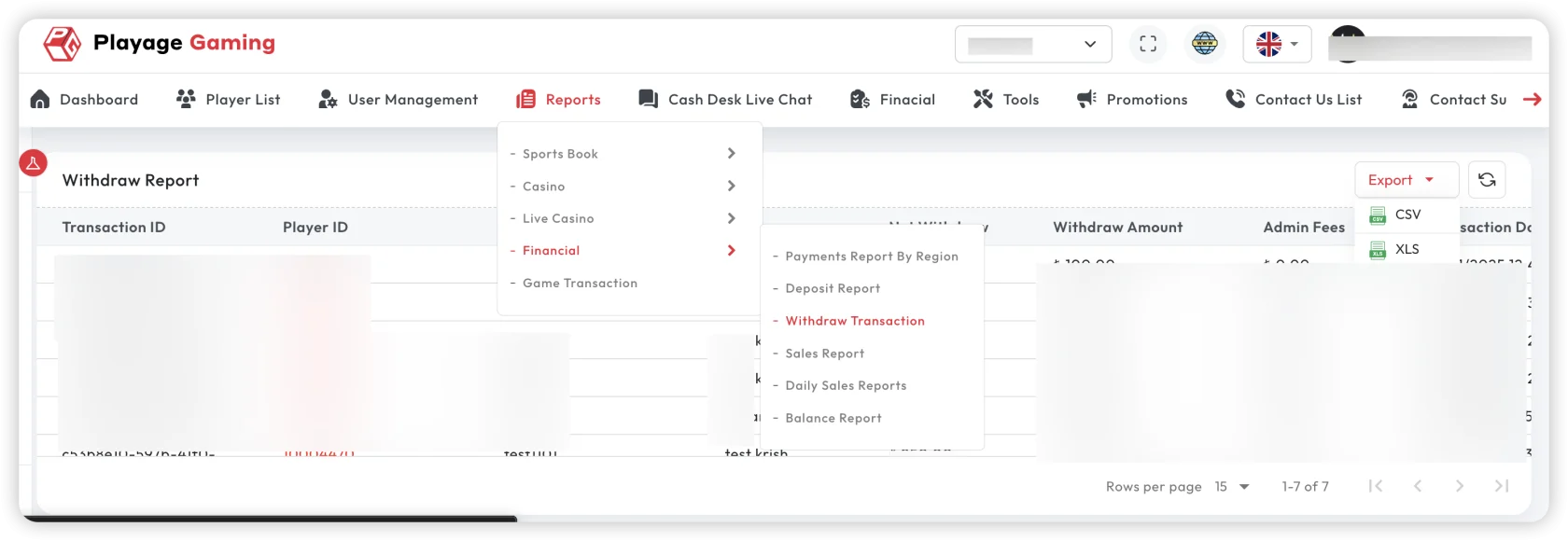
Purpose
- Track withdrawal volume, approval, and rejection patterns.
- Validate processing speed and payout consistency.
- Support fraud/risk review for high-risk withdrawals.
Steps
- Open Financial Reports > Withdrawal Report.
- Filter by date, status, method, and player segment.
- Review approved/rejected/pending totals.
- Investigate outliers (high-value, repeated failures, long pending).
- Export report for operations or compliance follow-up.
Key Metrics
- Withdrawal count and amount
- Approval/rejection ratio
- Average processing time
- High-value withdrawal concentration
How to Use for Operations
- Use pending-age checks to detect operational bottlenecks.
- Compare rejection reasons by method to identify policy friction.
- Monitor same-player repeated attempts for risk flags.
Troubleshooting
- Pending queue increasing: check approval workflow delays.
- Rejection spike: validate KYC/AML rule changes.
- Totals differ from payout records: align status and settlement cut-off time.
Best Practice
Set daily thresholds for pending age and rejection ratio, then trigger internal alerts.