
Financial Balance Report
Use this report to monitor balance position and liquidity movement.
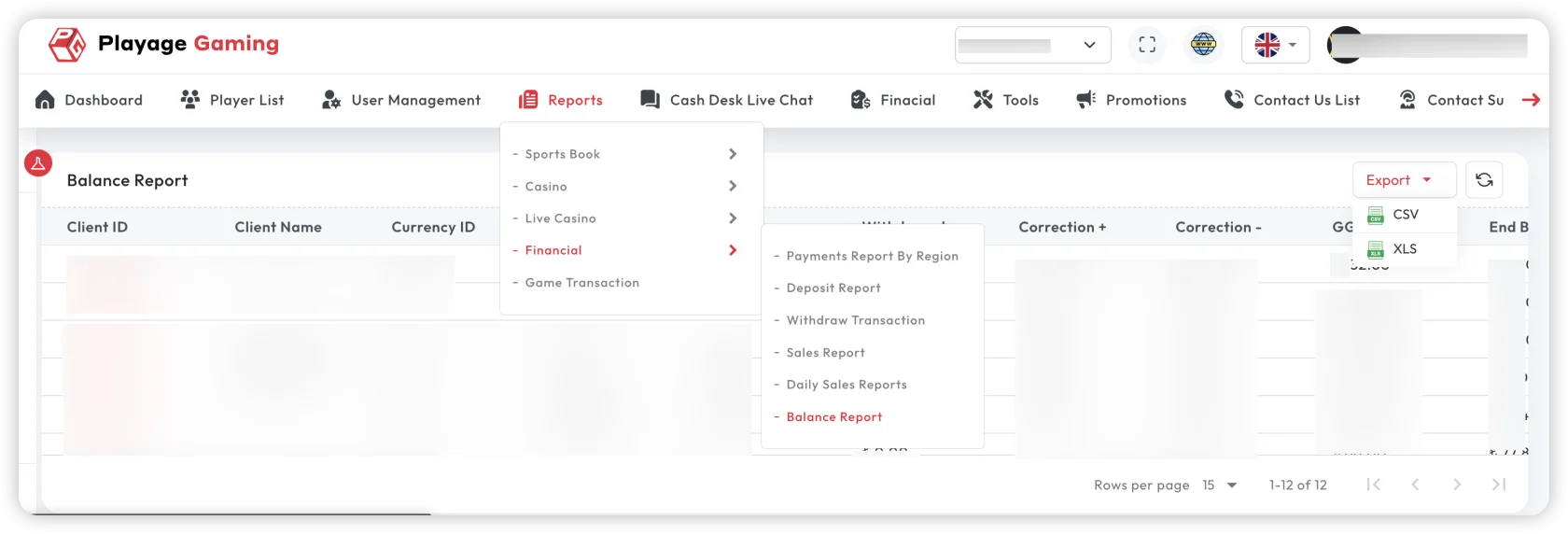
Interface Reference
Purpose
- Validate current balance status.
- Track inflow/outflow impact on liquidity.
- Support treasury and risk monitoring.
Steps
- Open Financial Reports > Balance Report.
- Select date range, currency, and wallet/account scope.
- Review opening, movement, and closing balances.
- Cross-check with deposit/withdrawal summaries.
- Export reconciliation-ready data.
Key Metrics
- Opening balance
- Total inflow / outflow
- Net movement
- Closing balance
Reconciliation Flow
- Opening balance + inflow - outflow should match closing balance.
- If mismatch exists, verify pending, rollback, and adjustment entries.
Troubleshooting
- Balance mismatch: re-check cut-off time and pending statuses.
- Negative balance alert: verify delayed settlements and manual adjustments.
- Unexpected currency movement: confirm selected wallet/currency scope.
Best Practice
Run end-of-day balance validation and keep a signed export for audit trail.