
Login History
Use this page to monitor login behavior, failed attempts, and security access patterns.
Login History Screen
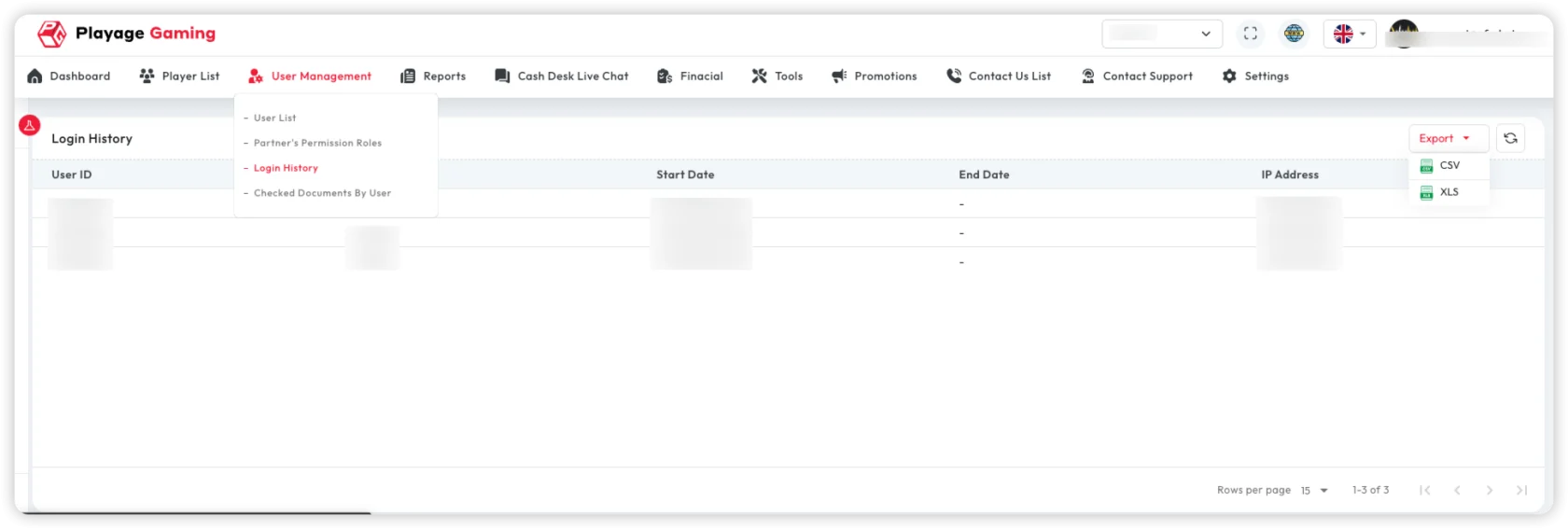
Core columns:
- Username
- Login time
- Logout time
- IP address
- Browser/device
- Status (success, failed, blocked)
How to Audit Login Activity
- Filter by date range.
- Filter by status (
Failed/Blocked) for risk checks. - Review repeated attempts from same IP.
- Export selected records for compliance archive.
Typical Use Cases
- Security review after suspicious login reports.
- Compliance export for periodic audit.
- Troubleshooting user access complaints.
Troubleshooting
- No records after filtering: Expand date range and clear status filter.
- Wrong timezone interpretation: Confirm server/report timezone standard.
- User says login failed but no logs: Verify correct username and environment.
Best Practice
- Restrict this page to admin/compliance users.
- Investigate repeated failed attempts quickly.
- Keep periodic exported snapshots for audit trail.