
Client Overview
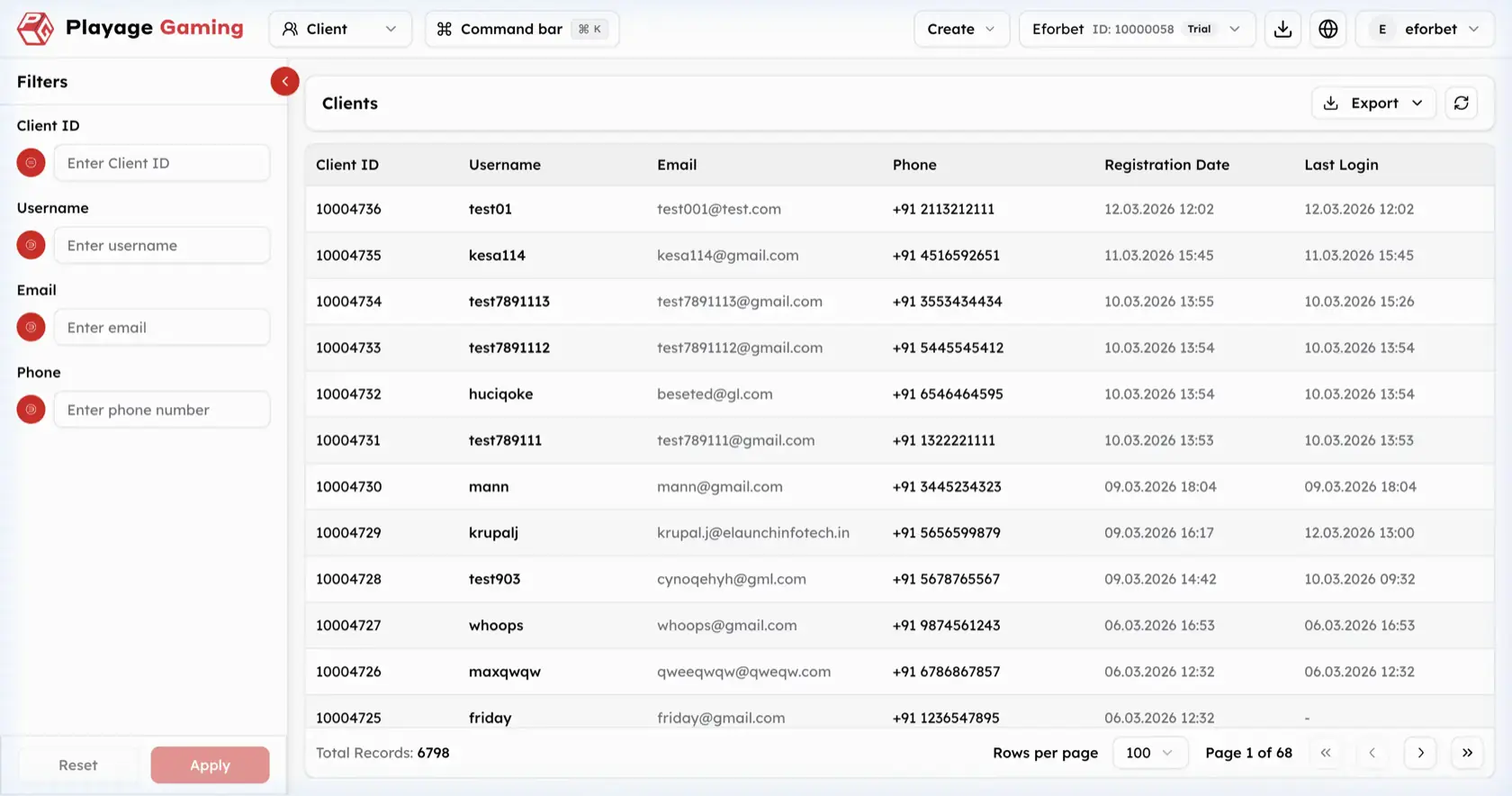
The Client area is the CRM player list view. It is used to search, filter, export, and review registered users in a structured table.
What You Manage Here
- Client lookup by identity fields
- Registration and last-login monitoring
- Export of filtered client data
- High-volume list review with pagination
Client List Interface
Visible controls in the screenshot:
- Left filter sidebar
Exportdropdown- Refresh icon
- Client table
- Rows-per-page selector and pagination
Filters
The visible sidebar supports:
Client IDUsernameEmailPhone
Client Table Columns
| Column | Meaning |
|---|---|
| Client ID | Unique player identifier |
| Username | Username or handle |
| Registered email address | |
| Phone | Registered phone number |
| Registration Date | Account creation time |
| Last Login | Most recent login time |
Step-by-Step: Find a Client
- Open
Client. - Use one or more filters from the left sidebar.
- Click
Apply. - Review matching rows in the table.
- Use
Resetto clear the filter state if needed.
Export Workflow
- Filter the list first if you do not want the full dataset.
- Open the
Exportdropdown. - Trigger the export action.
- Verify the exported file matches the filtered client set you intended to review.
Operating Notes
- The current screenshot documents the list view only; it should be treated as the source of truth for this page.
- Apply filters before exporting to reduce noise in client-level reviews.
- Use registration date and last-login values together when checking recency or reactivation patterns.