
Report Overview
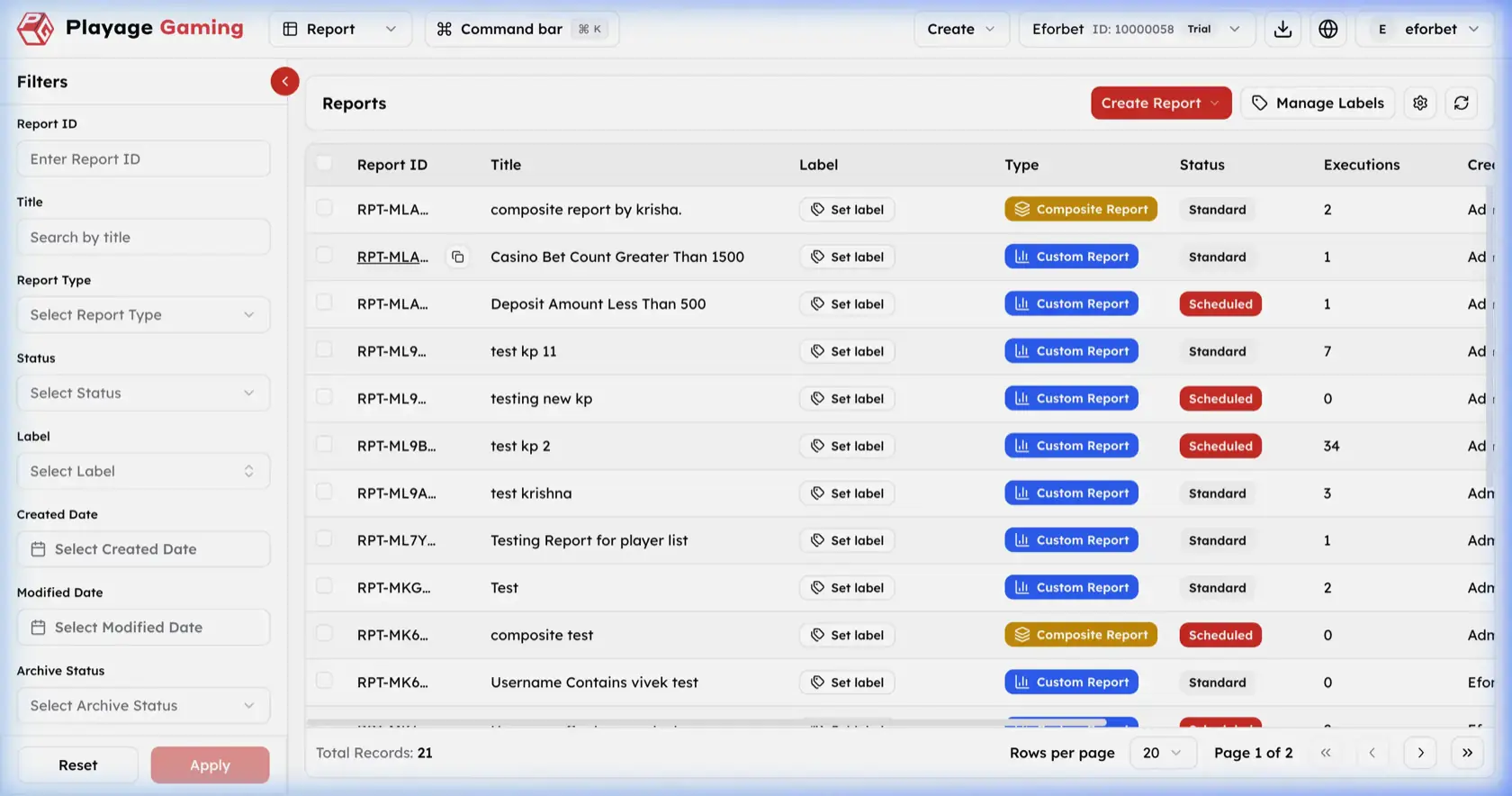
The Report area is used to review and manage CRM reporting outputs. It provides a list of report definitions, report types, execution counts, and entry points for creating new reports.
What You Manage Here
- Existing report definitions
- Report type classification
- Report status monitoring
- Execution count review
- Custom or composite report creation flows
Report List Interface
Visible controls in the screenshot:
- Left filter sidebar
Create ReportdropdownManage Labels- Settings and refresh icons
- Report table with pagination
Filters
Report IDTitleReport TypeStatusLabelCreated DateModified DateArchive Status
Report Table Columns
| Column | Meaning |
|---|---|
| Report ID | Unique report identifier |
| Title | Report name |
| Label | Internal label management area |
| Type | Report type, such as Custom Report or Composite Report |
| Status | Operational state, such as Standard or Scheduled |
| Executions | Number of recorded executions |
Step-by-Step: Review Reports
- Open
Report. - Apply filters on the left if needed.
- Review title, type, status, and execution count together.
- Confirm whether the report is standard, scheduled, custom, or composite before using it operationally.
Operating Notes
- Execution count helps identify actively used reports.
- Use type and status together when deciding whether a report is ready for operational use.
- Filter before reviewing large report inventories to avoid working on the wrong definition.