
Campaign Overview
The Campaign area is used to create, schedule, and monitor CRM campaigns. It combines a list screen for operational tracking with a step-by-step campaign setup wizard.
What You Manage Here
- Existing campaign records
- Campaign status and mode
- Campaign labels
- New campaign creation
Campaign List Interface
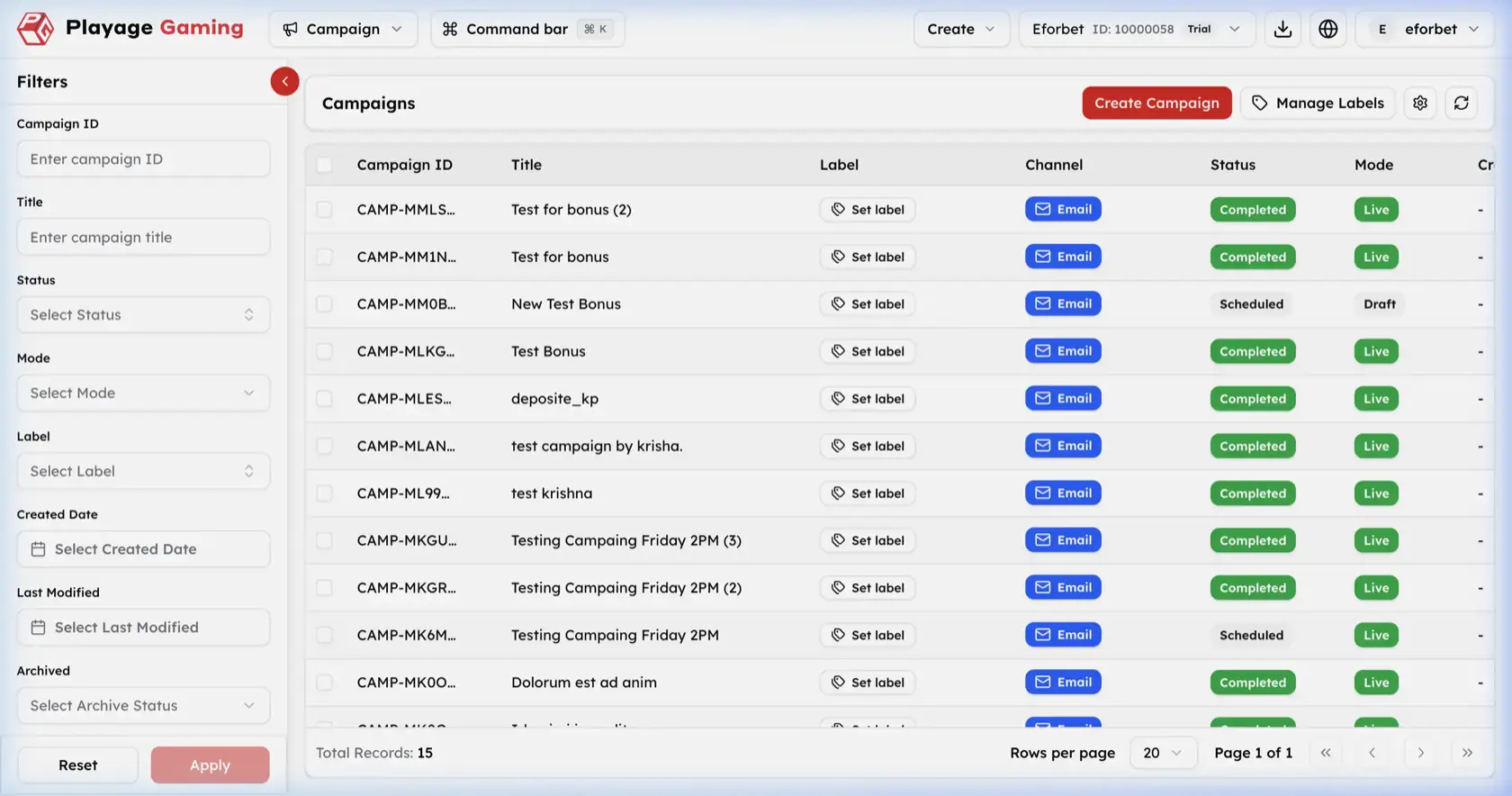
Visible controls in the screenshot:
- Left filter sidebar
Create CampaignManage Labels- Settings and refresh icons
- Campaign table with pagination
Filters
Campaign IDTitleStatusModeLabelCreated DateLast ModifiedArchived
Campaign Table Columns
| Column | Meaning |
|---|---|
| Campaign ID | Unique campaign identifier |
| Title | Campaign title |
| Label | Internal labeling area |
| Channel | Delivery channel, shown as Email |
| Status | Execution status, such as Completed or Scheduled |
| Mode | Operational mode, such as Live or Draft |
Step-by-Step: Review Campaigns
- Open
Campaign. - Apply filters if the list is large.
- Review the campaign title, status, and mode together.
- Confirm whether the campaign is live, draft, completed, or scheduled before making any follow-up decision.
Create Campaign Workflow
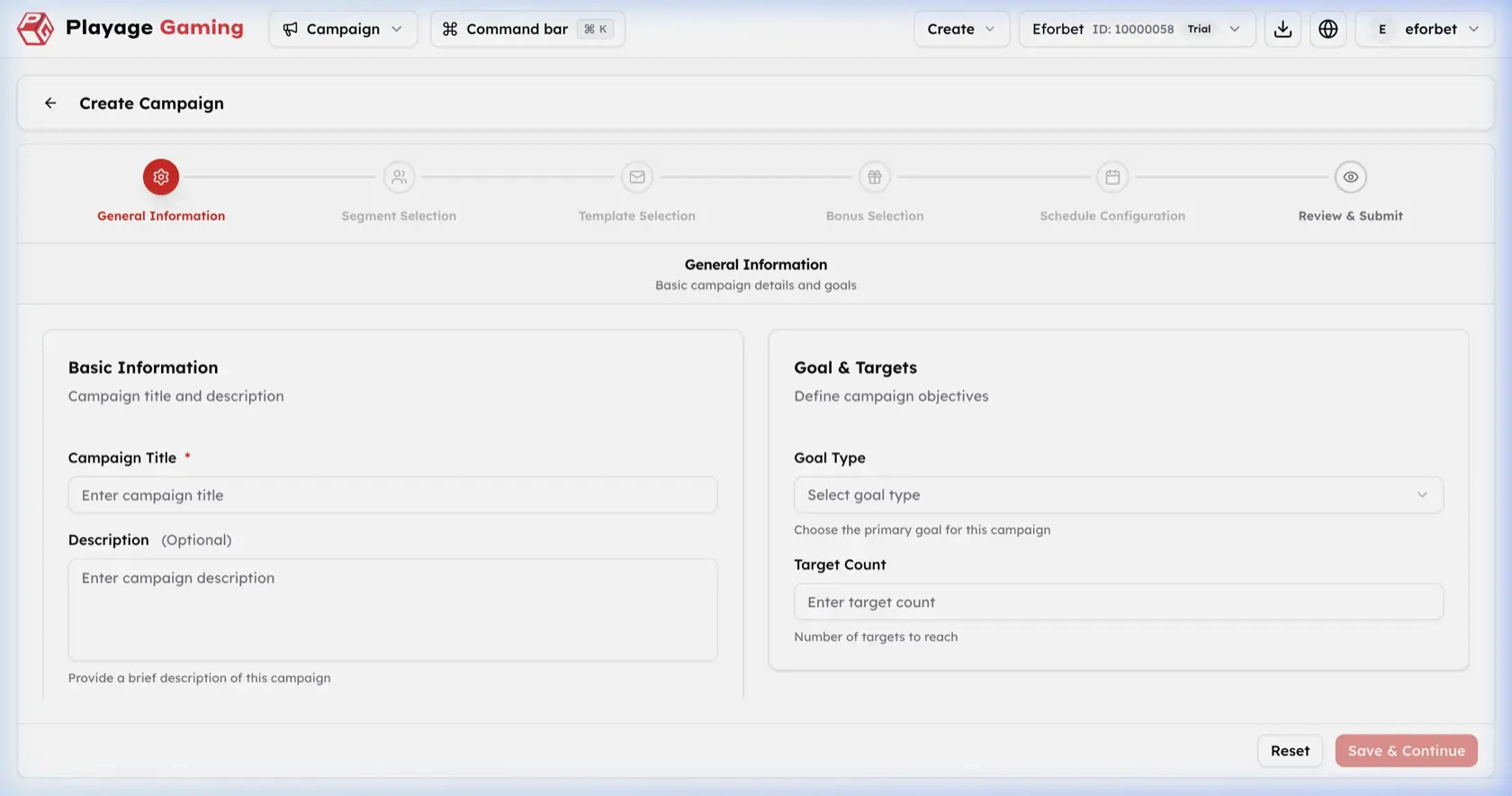
The wizard shown in the screenshot uses these stages:
General InformationSegment SelectionTemplate SelectionBonus SelectionSchedule ConfigurationReview & Submit
Step-by-Step: Start a Campaign
- Open
Campaign. - Click
Create Campaign. - In
General Information, enterCampaign Title. - Add
Descriptionif needed. - Select
Goal Type. - Enter
Target Count. - Click
Save & Continue. - Continue through segment, template, bonus, schedule, and review steps.
- Submit only after all selections are confirmed.
General Information Fields
| Field | Meaning |
|---|---|
| Campaign Title | Required campaign name |
| Description | Optional internal description |
| Goal Type | Primary campaign objective |
| Target Count | Intended target volume |
Operating Notes
- Keep titles explicit so reports and communication logs remain readable later.
- Confirm segment and template choices carefully because they control audience and content together.
- Review mode and status from the list after creation or scheduling.