
Players KYC Queue
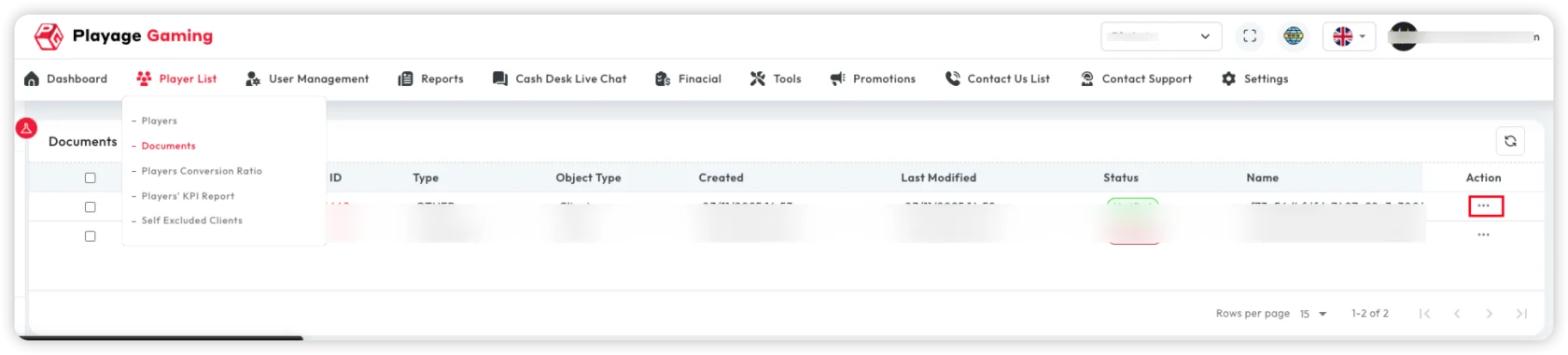
This page is the central KYC review list for player identity-document verification.
Source route: /player-kyc
What This Module Is For
Use this queue when work starts from KYC status, not from an already opened player record.
Typical use cases:
- review players waiting in KYC
- separate editable
admin_reviewcases from read-only cases - inspect rejection reasons and document identifiers
- open one row in view or edit mode depending on permission and status
Permissions
The source menu exposes this module behind view_players_kyc.
Practical permission split:
view_players_kyc: can open the queue and view row detailsmanage_players_kyc: can update rows that are currently inadmin_review
If manage_players_kyc is missing, the row opens in view mode only.
Statuses Visible In The Queue
The current source snapshot shows these KYC states:
pendingverifiedrejectedadmin_reviewautomation_kyckyc_withdrawalkyc_withdrawal_bet
Operational reading:
admin_reviewis the main manual-work state for KYC managersverifiedandrejectedare final review outcomespendingand automation-related states are usually inspection-first states unless your permissions and deployment add more actionskyc_withdrawalandkyc_withdrawal_betindicate KYC escalation tied to withdrawal controls
Queue Columns
The list is built around these fields:
Player IDEmailUsernameDocument IDUser Document VerifyDate- action column
Use this table to decide whether you need only a read-only check or a manager update.
Row Action Rules
The current source behavior is strict:
- if row status is
admin_reviewand the user hasmanage_players_kyc, the action opens in edit mode - all other visible rows open in view mode when the user has
view_players_kyc
This means the row does not become editable just because it is visible.
What Opens In The Modal
The queue action opens the KYC detail modal.
Visible information in the modal includes:
- current KYC status
- player ID
- document ID or rejection reason
- front document image
- back document image
- existing
kyc_error_reasonwhen present
What Is Editable
Editable only in manager mode and only for admin_review rows:
User Document VerifyDocument IDwhen the outcome is not rejectionReasonwhen the outcome isrejected
Important source-backed behavior:
- when status is changed to
rejected, the document ID is cleared - when the modal is opened in view mode, status and reason fields are disabled
- when the selected row was already
admin_review, the status dropdown excludespending
Save Behavior
When a manager updates an admin_review row:
- the KYC update endpoint is called
- the queue refetches after success
- the form resets
- server validation errors are returned to the modal fields
When To Use This Page vs Other Document Areas
- use this page when the task starts from KYC workflow and status handling
- use Player Management and Analytics ->
General -> Player Verificationfor player-level capability restrictions like login, deposit, or withdraw - use Player Management and Analytics ->
General -> Player Documents Imagesfor one-player document upload and review - use Player Document Management for the cross-player uploaded-document queue
Best Practice
- treat
admin_reviewas the main manual decision state - record clear rejection reasons so the next operator and the player-facing process are aligned
- verify document images before changing final status
- do not confuse KYC approval with capability toggles such as
Can LoginorCan Withdraw; those belong to the player detail workspace